
Complete Guide: Installing Atlassian Marketplace Apps
A comprehensive step-by-step guide to installing Forge apps from the Atlassian Marketplace in Jira Cloud and Confluence Cloud, including prerequisites, permissions, and troubleshooting tips.

Customize Atlassian Cloud apps
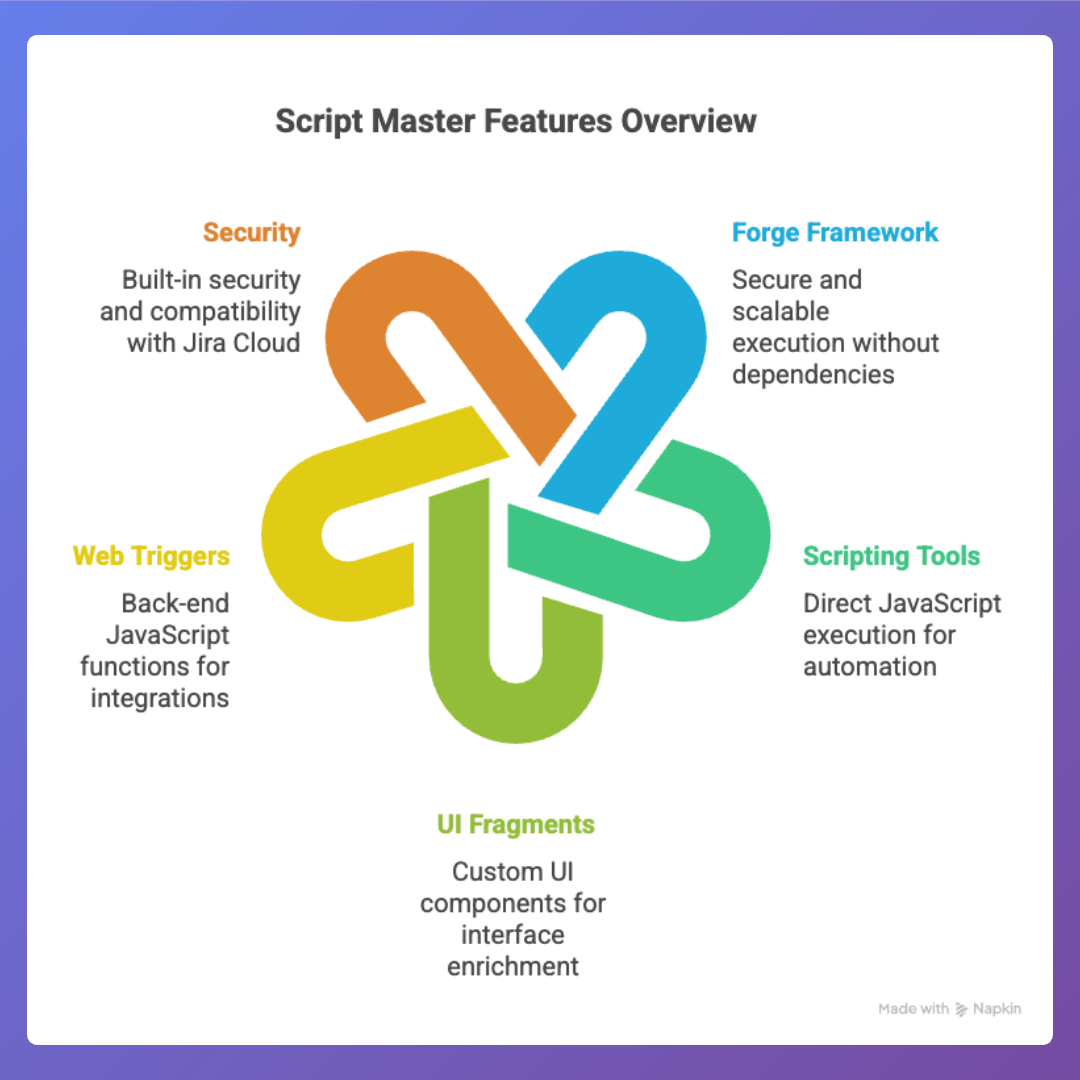
Leverage the modern infrastructure of Jira's Forge framework β enjoy secure, scalable, and fully hosted execution without external dependencies.
Enable Jira admins to execute JavaScript directly within the app (in the built-in Script Console), automate tasks, and make bulk updates β all without needing separate services.
Easily inject custom UI components β panels, actions, gadgets, pages β using HTML, CSS, and JavaScript to enrich your instance's interface.
Implement back-end JavaScript functions that respond to HTTP requests, enabling seamless automations and connections to external systems.
Built as a Forge app, it benefits from Atlassian's infrastructure, built-in security, and seamless compatibility with Jira Cloud.
Plan, organize, and manage team events
Designed to run natively on Atlassian's cloud platform, offering seamless integration with your existing workspaces and content.
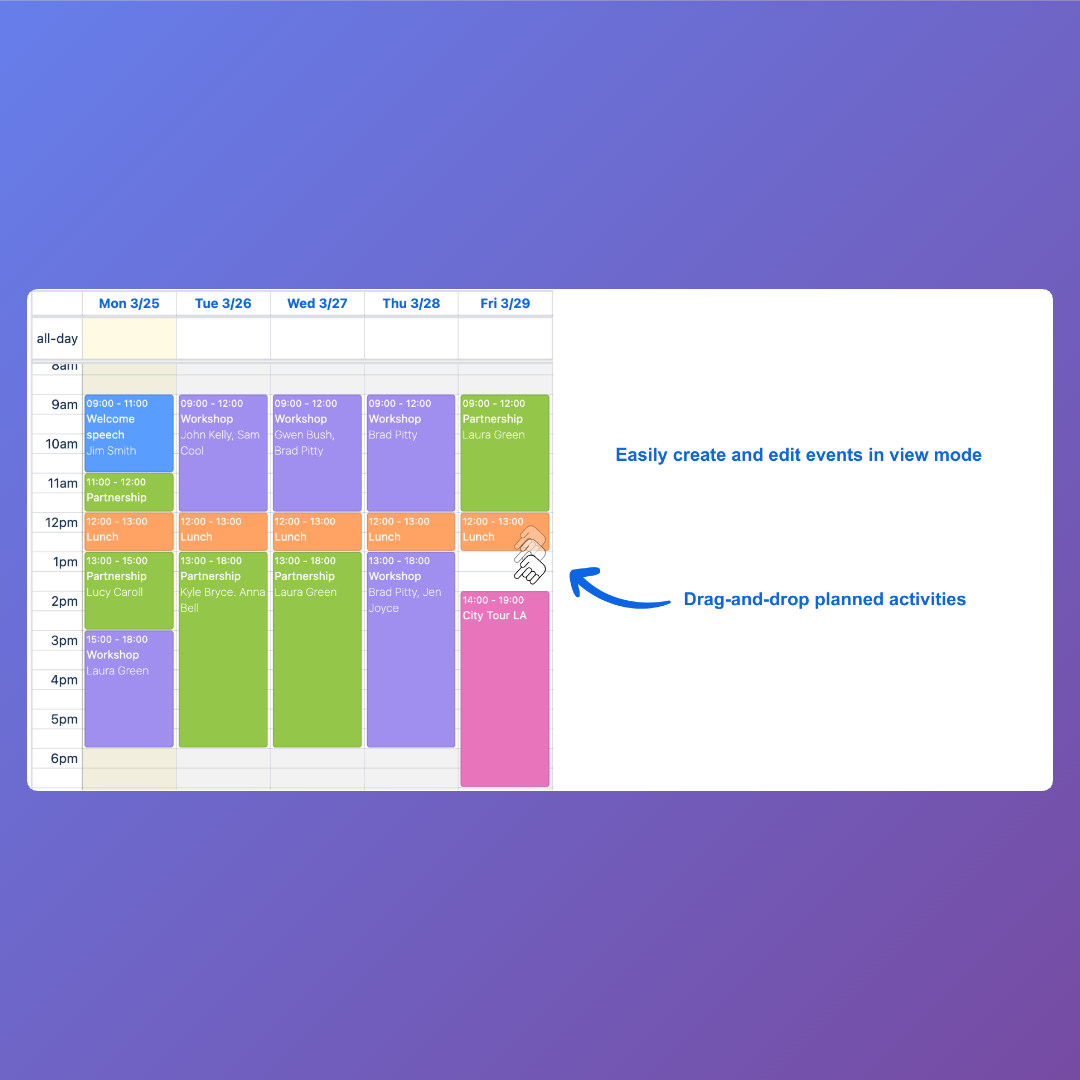
Plan, schedule, and coordinate events directly within Confluence β bringing your team's calendars, agendas, and resources together in one place.
Embed interactive event details, registration forms, agendas, and countdowns using intuitive macros and customizable page templates.
Control who can view, edit, or register for events β and monitor attendee lists, RSVPs, and participation statistics.
Maintain the look and feel of your Confluence instance with styling that aligns naturally with your site's layout and design principles.
Bring diagrams to life with simple syntax
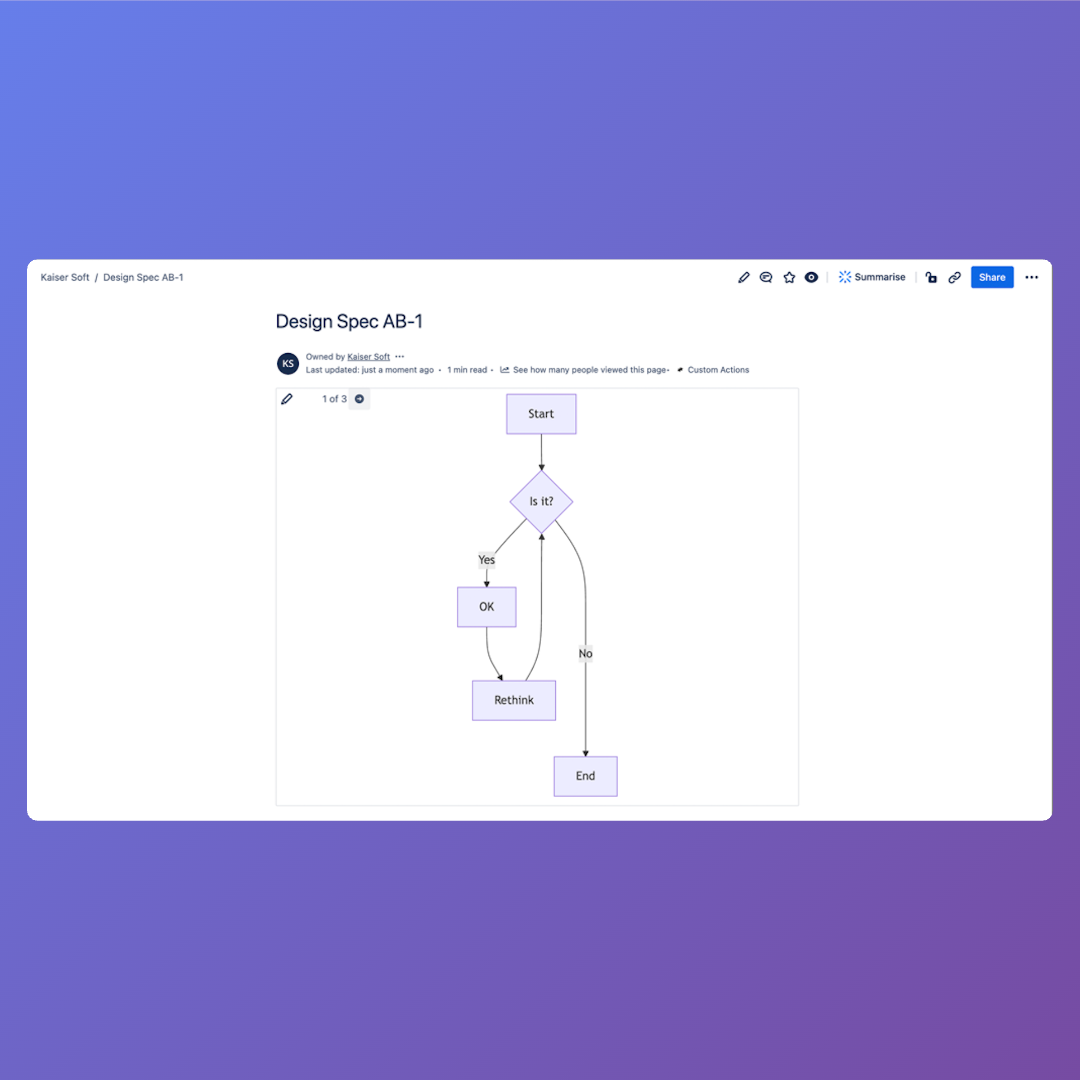
Easily insert and render diagrams - flowcharts, Gantt charts, sequence diagrams, class diagrams, and more - directly in Confluence pages using Mermaid syntax.
Support for a wide variety of visual formats including flowcharts, state diagrams, ERD, timelines, mind maps, Sankey diagrams, and more.
Write your Mermaid code in a macro editor and see a live preview on the page, making it fast to iterate and adjust visuals.
Runs purely within Atlassian Cloud, integrating with your existing Confluence setup without external dependencies.
Use visual diagrams alongside your textual content to simplify complex ideas, aid understanding, and make documentation more engaging.
Make decisions with your team, seamlessly
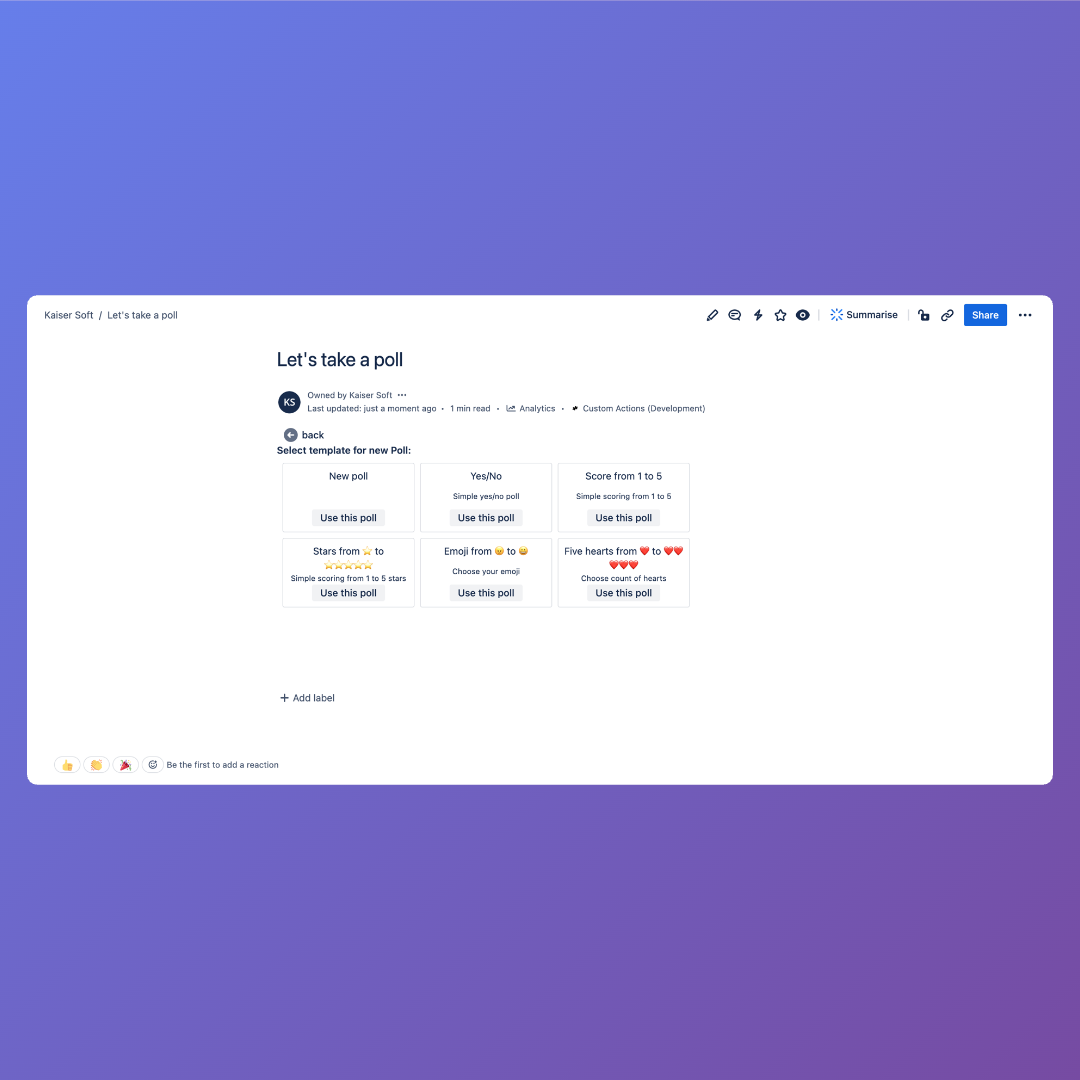
Create polls, votes, surveys, and decision tools directly on your Confluence pages β no need for external platforms.
Support a range of voting types (e.g. standard polls, dot-votes, score polls) so your team can choose the format that best fits the decision.
Gather responses quickly and display results immediately β charts and summaries help teams make informed decisions.
Use macros to insert polls anywhere within your Confluence content β blending naturally with your documentation and pages.
Enable structured decision-making and collective input β ideal for planning, team alignment, feedback gathering, or quick votes.
Find practical use cases, code snippets, and examples for our apps and Forge development.
A comprehensive step-by-step guide to installing Forge apps from the Atlassian Marketplace in Jira Cloud and Confluence Cloud, including prerequisites, permissions, and troubleshooting tips.
Block diagrams provide a high-level visual representation of systems, processes or architectures, using blocks for key components and connectors to show relationships. Unlike standard Mermaid flowcharts that rely on automatic layout, block diagrams give authors full control over the placement of shapes for clearer, customized structure.
The example shows how to use Script Masterβs Script Console to clone up to 50 Jira issues from a JQL query β automating issue duplication quickly and efficiently.
Script Master is a Forge-based app that lets Atlassian Administrators and Consultants create scripts, UI extensions, and automations directly inside Jira and Confluence Cloud β without extra infrastructure or complex setup. Build, test, and deploy customizations in one place, securely and efficiently.
FAQs
Our FAQ below answers key questions about our secure, scalable Forge apps for Jira Cloud and Confluence Cloud. Learn how to enhance your workflows, ensure compatibility, and get started with ease. Explore now and try our apps free on the Atlassian Marketplace!
Yes, our Forge apps are fully compatible with all the versions of Jira Cloud and Confluence Cloud. We regularly test and update them to ensure they work smoothly with Atlassian's ongoing platform releases.
Our apps follow Atlassian's standard Marketplace pricing model, which is based on the number of users in your Jira or Confluence instance. We offer free trials (typically 30 days) so you can test the app risk-free. For detailed pricing tiers, visit the app's listing on the Atlassian Marketplace, as costs scale affordably with your team's size.
Absolutely! We offer comprehensive support including detailed documentation, video tutorials, and a dedicated help center. For paid users, we provide email and support portal with response times under 24 hours. Community forums are also available for quick tips from other users. If you encounter any issues, our team is here to help ensure a smooth experience.
Yes, many of our Forge apps include configurable options right out of the box, such as custom fields, workflows, or integrations. For more advanced customizations, we offer premium consulting services or can guide you on using Forge's extensibility features. Contact us to discuss how we can tailor the app to your unique requirements.
Security is our top priority. All our apps are built on Atlassian's secure Forge platform, which includes built-in data encryption, access controls, and regular audits. We comply with GDPR, CCPA, and Atlassian's Marketplace security requirements. No customer data is stored outside your Atlassian instance unless explicitly configured, ensuring your information remains protected.
We actively monitor Atlassian's release notes and update our apps accordingly to maintain compatibility. Most updates are seamless, but if a breaking change occurs, we'll notify users via email and the Marketplace with fixes rolled out quickly. Our apps have a strong track record of uptime during platform changes.
Installing our apps is simple but requires admin permissions. You need to be a Site Admin or have "Administer Jira/Confluence" permissions to install marketplace apps. Once you have the required permissions: 1) Navigate to Settings (βοΈ) in your Jira or Confluence instance, 2) Select "Find Apps" or "Manage Apps", 3) Search for our app by name in the marketplace, 4) Click "Get app", "Try it free", or "Buy now". The app will automatically install and configure itself in your cloud instance. Most installations are completed within 2-3 minutes with no additional setup required.
Yes, we stand behind the quality of our apps with a customer satisfaction guarantee. If you're not completely satisfied with your purchase, we offer refunds within 30 days of purchase through Atlassian's standard refund process. Additionally, all our apps include free trials (typically 30 days) so you can thoroughly test functionality before committing to a purchase. For any satisfaction concerns beyond the trial period, please contact our support team - we're committed to working with you to ensure our apps meet your team's needs.
Unlock the Power of Your Atlassian Cloud! Start Customizing Jira and Confluence with Our Forge Apps Today.