Create diagrams directly in Confluence and Jira with live preview
Apportunity: Mermaid Diagrams - made native
Write Mermaid syntax in a lightweight editor and render diagrams inline. Mermaid Diagrams brings flowcharts, sequence diagrams, Gantt charts, class diagrams and more into your Confluence pages and Jira issues - with instant preview, export options, and consistent styling.
Quick Start
Add diagrams in seconds
Insert the macro
Open the editor in Confluence or Jira and add the Mermaid Diagrams macro to your page or issue.
Paste or write Mermaid
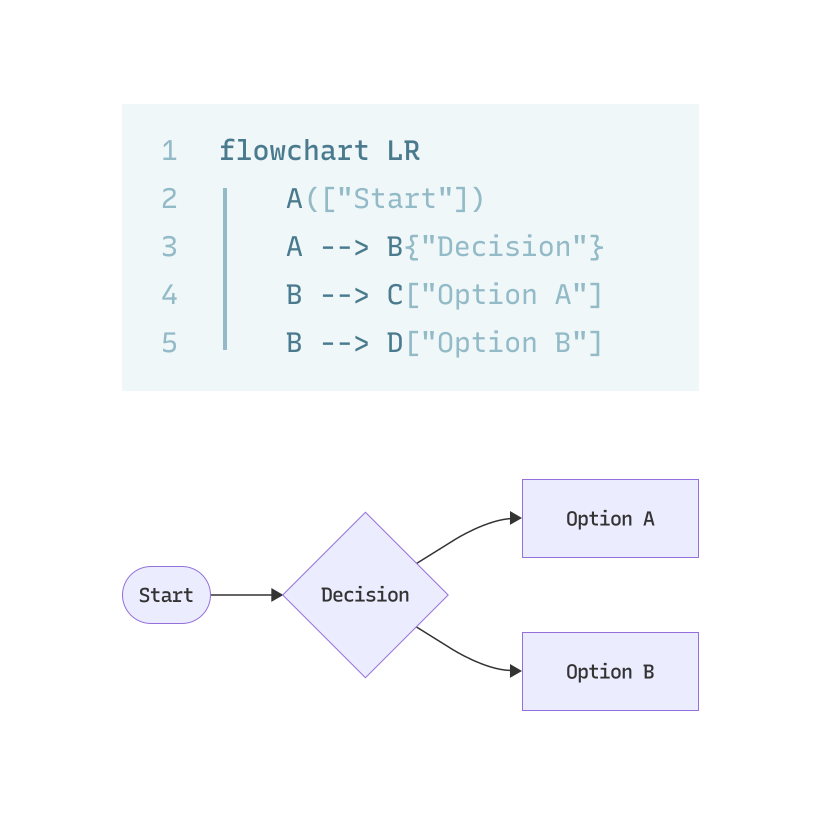
Enter your Mermaid diagram code in the built-in editor and see a live preview as you type.
Save and share
Save the macro to render the diagram inline. Diagrams can be exported as PNG/SVG for sharing.
Key Features
Built for documentation work
Native Mermaid support
Render a wide range of Mermaid diagrams (flowcharts, sequence, Gantt, state, class, ERD, etc.) directly inside Confluence and Jira.
Live editor with preview
Built-in editor shows instant rendering so authors can iterate quickly without leaving the page.
Export & embed
Export diagrams to PNG or SVG for reuse outside the instance or to embed in other content.
Consistent styling & templates
Use themes and templates to keep diagrams consistent across documentation and team pages.
Privacy-first & Cloud-ready
Runs inside your Atlassian Cloud instance. Diagram content stays in your environment and is never sent to an external renderer.
Works in Confluence & Jira
Same authoring experience in both Confluence pages and Jira issue panels - ideal for engineering docs, runbooks, and design discussions.
Benefits
Why teams choose Apportunity: Mermaid Diagrams
Faster docs
Diagrams are edited inline, so they stay in sync with the text instead of drifting out of date in a separate file.
Clearer communication
A sequence or flow diagram settles questions that a paragraph of description leaves open.
Single-source editing
Edit diagrams where they live - no separate editors or external image files required.
Shareable outputs
Export high-quality images for presentations, PDFs, or external documentation.
Get started with Mermaid Diagrams
Install the app from the Atlassian Marketplace or read the documentation to learn advanced features and admin settings.