· Documentation · 3 min read
Introduction to Script Master
Script Master is a Forge-based app that lets Atlassian administrators and consultants create scripts, UI extensions, and automations directly inside Jira and Confluence Cloud, with no extra infrastructure to set up. Build, test, and deploy customizations in one place.

Overview
Script Master is built on the Atlassian Forge framework. It lets administrators and consultants write Forge-compatible scripts, UI extensions, and integrations inside Jira Cloud and Confluence Cloud, with no build process and no infrastructure of your own.
Use it to automate tasks, run bulk updates, extend the interface, or connect to external systems, all from within your Atlassian environment.
Who Is Script Master For?
Script Master is designed primarily for:
- Atlassian Administrators who need to automate tasks, customize interfaces, or integrate third-party services.
- Atlassian Consultants who build flexible solutions for clients across Jira Cloud and Confluence Cloud.
Instead of installing a separate app for every small customization, you get one toolkit that covers them: a custom Jira gadget, a Confluence macro, a bulk operation, or a new UI element.
What Makes Script Master Unique?
Start Small, Build Only What You Need
There is no setup step. Try a small automation or a UI tweak, see the result immediately, and leave your existing workflows untouched.
Grow at Your Own Pace
Start from the built-in code snippets and examples. As requirements grow, the same environment handles fully Forge-compatible apps with more involved logic.
No Strings Attached
If a customization grows into a real application, you can move it to a standalone Forge app. Script Master is entirely Forge-based, which means:
- No data ever leaves your Atlassian instance.
- All code runs within Atlassian infrastructure.
- Your scripts are fully compatible with the latest Forge version.
Nothing about the app locks you in.
Key Capabilities
Script Master lets administrators create and manage custom scripted components directly inside Jira and Confluence:
- Jira Issue Panels, Project Pages, Gadgets, Custom Fields, and Post-functions
- Confluence Macros, Content Actions, and Space Pages
- Backend Forge FaaS (Functions as a Service) and Frontend Custom UI
- Web Triggers and Workflow Automations
All of these can be developed, tested, and deployed without leaving your Atlassian environment.
Installation & Configuration
You can install the app directly from the Atlassian Marketplace:
To get started:
- Log in as an administrator.
- Navigate to the Apps section in the admin menu.
- Select Script Master.
- Follow the Getting Started Guide within the app.
Feature Overview
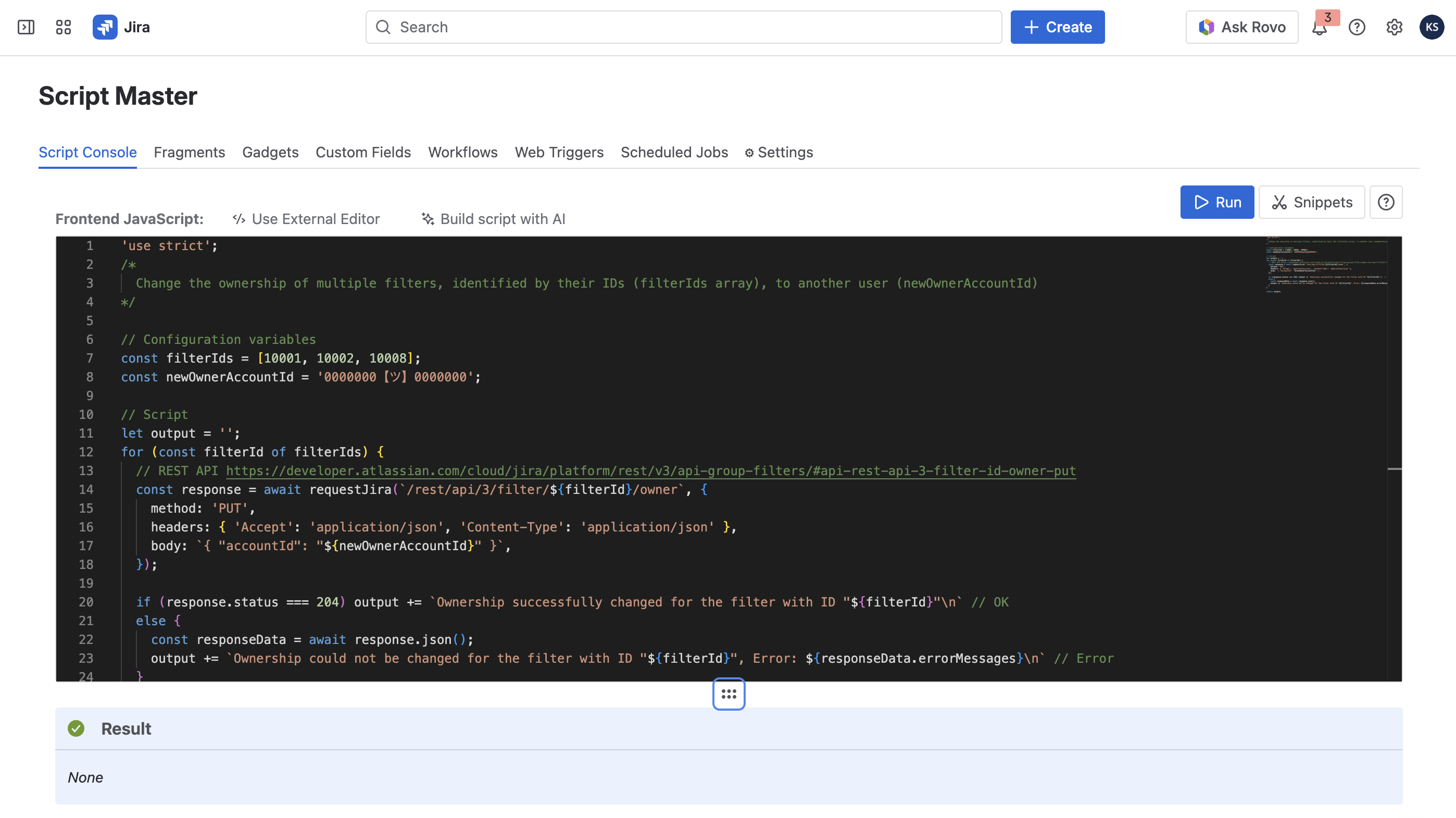
Script Console
Where you write and run scripts against your instance.
Use Cases:
- REST API Exploration: Test Jira or Confluence REST API calls directly in the console.
- Bulk Updates: Modify large numbers of issues or pages in one run.
- Automate Admin Tasks: Replace the routine operations you would otherwise repeat by hand.
Fragments
Fragments let you extend the UI of Jira or Confluence by adding custom HTML, CSS, and JavaScript blocks.
You can:
- Add new functionalities or visual elements.
- Display data visualizations.
- Connect to internal or external REST APIs.
Gadgets (Jira)
Create custom Jira dashboard gadgets that display live data, trigger workflows, and pull from other tools.
Benefits:
- Build dashboards that match how your team actually reports.
- Show data as it changes.
- Put the numbers people ask for on the screen they already open.
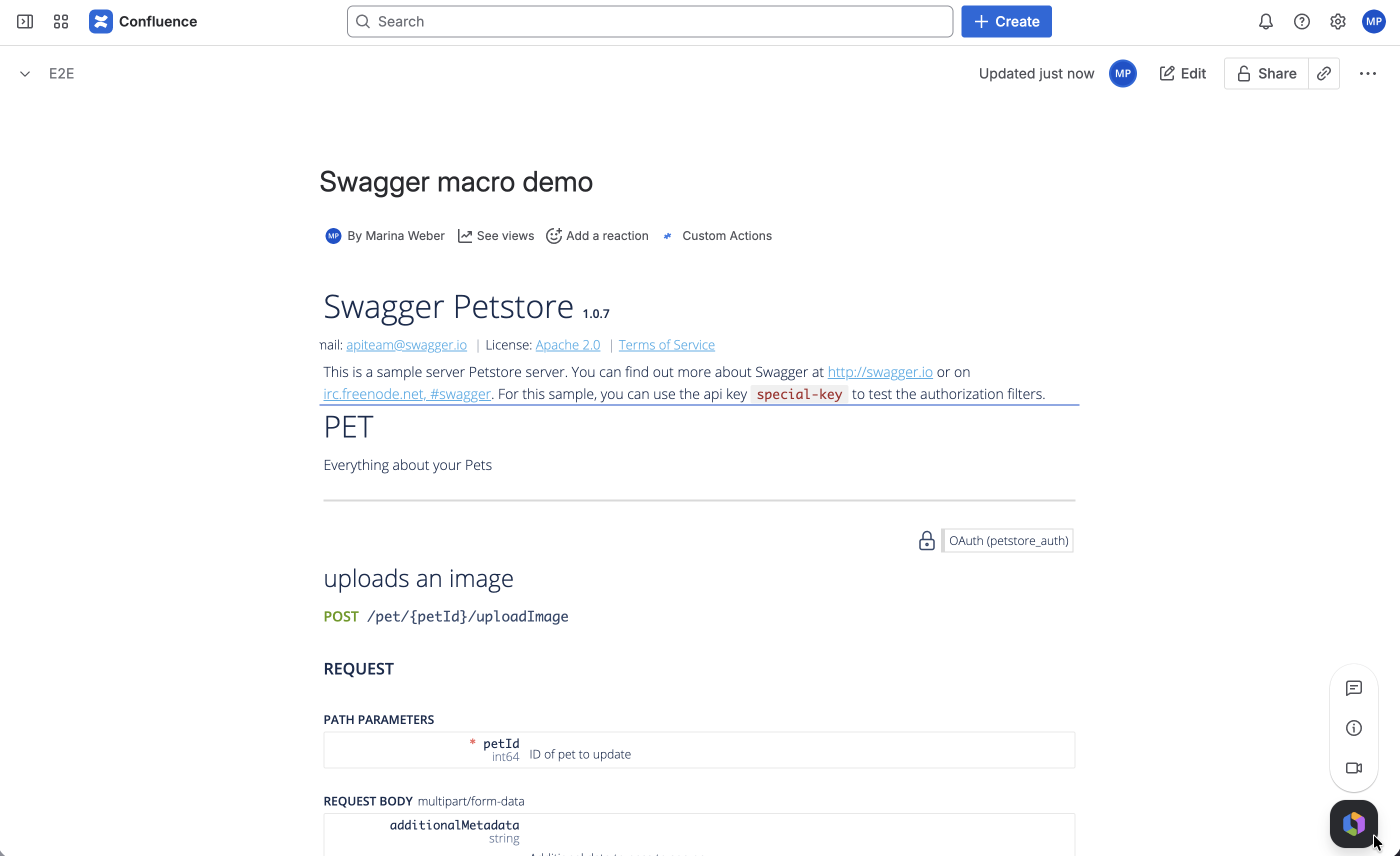
Macros (Confluence)
Develop custom Confluence macros that make pages interactive.
You can:
- Create dynamic, interactive content.
- Embed real-time data and forms.
- Automate how information is presented on pages.
Web Triggers
Web Triggers are Forge backend functions that respond to HTTP requests.
Key Features:
- No user authentication required.
- Execute backend logic via URL calls.
- Interact with Jira or Confluence through
api.useApp().
These are ideal for creating lightweight integrations or automation endpoints.
Snippets Library
Script Master ships with a Snippets Library: ready-to-use scripts and UI customization examples covering admin automation, UI extensions, and full integrations. Most tasks start from something close to what you need.
Why Script Master?
Script Master gives you one Forge-native environment for extending Atlassian Cloud products. It cuts the number of third-party apps you depend on, keeps customizations under your control, and needs no external hosting.
Install it from the Marketplace and start with the Getting Started guide inside the app.